▱
Unified Gaming Center
Bring Steam, Epic, Xbox and standalone titles together with automated imports, collections, playtime tracking, and clean library filters.
The unified PC gaming center for your game library and Spotify audio. Launch titles across Steam, Epic, and Xbox, control playback with Windows SMTC, and customize your experience with Spicetify marketplace themes and extensions.
Built for 64-bit Windows · Steam, Epic, Xbox, and Standalone Games
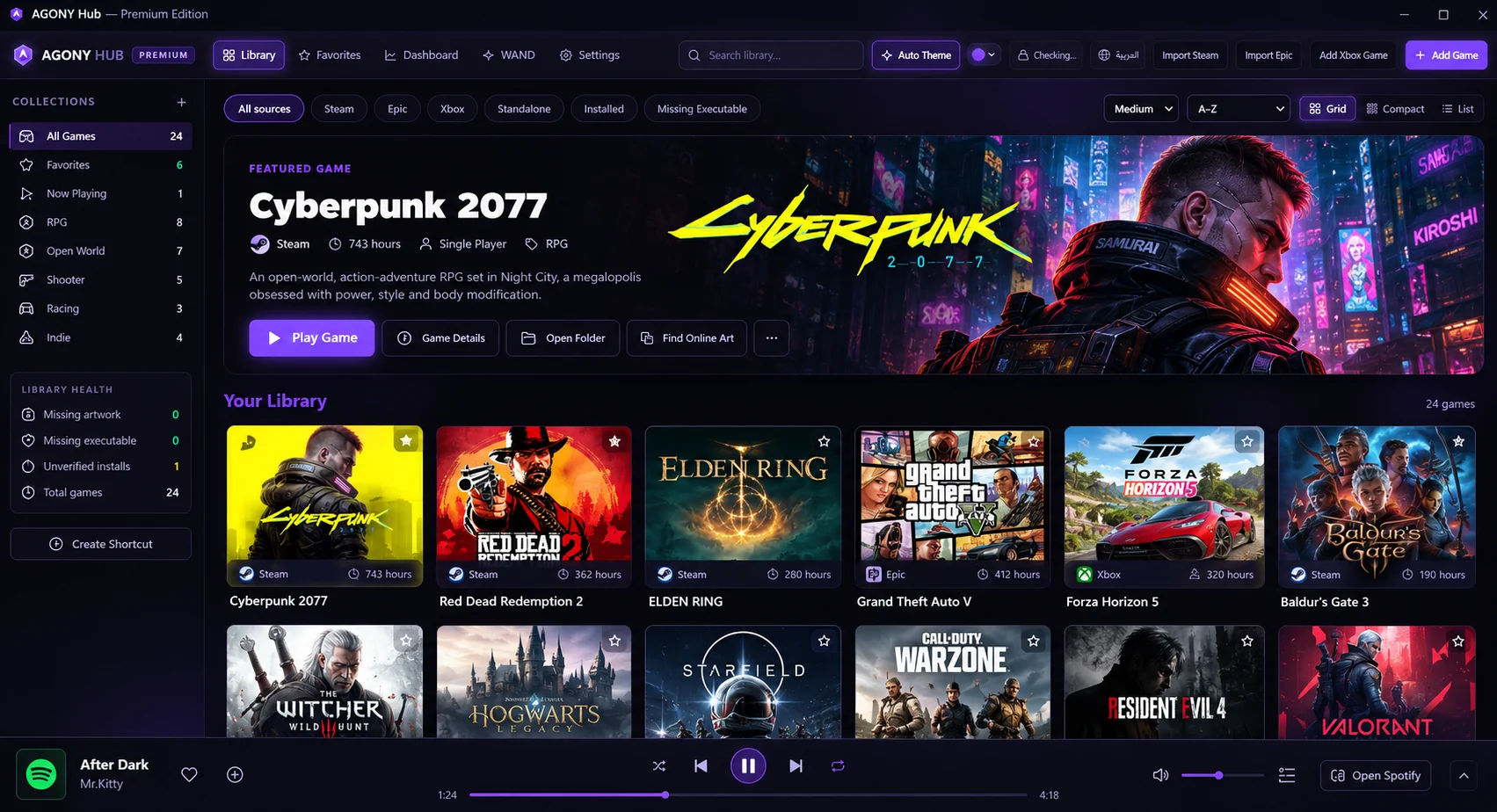
A calmer, more personal way to organize and launch your PC games — with useful features that stay out of your way.
Bring Steam, Epic, Xbox and standalone titles together with automated imports, collections, playtime tracking, and clean library filters.
Real-time Windows SMTC integration, local Spotify desktop playback synchronization, and one-click quick-access pinned playlists.
Browse 9 curated themes, 11 community extensions including Adblockify, and 4 custom apps with one-click XPUI backup and recovery.
Dynamic artwork-led theme extraction, customizable accent colors, atmospheric weather effects, and seamless theme import/export.
Spot missing artwork, unverified installs, and broken executable paths with automated verification and quick recovery tools.
Enable WAND for supported modded launching and its Control Center, or leave it off and keep using the lightweight hub.
Spend less time searching through launchers and more time choosing what to play. Keep your collections tidy, find missing setup details, and make the interface fit your mood.
Three simple steps to make AGONY Hub your home for games. Need step-by-step help? Visit the Help Center.
Run the Windows installer to instantly set up AGONY Hub with sensible defaults and start playing immediately.
Import supported launchers or add standalone games to your library.
Choose your layout, set your theme, organize collections and launch a game.
Bring your games together in one focused desktop experience.
Official Stable v1.0.7 · 64-bit Windows · One-Click Setup